Skill Verdicts Recalibrated Against Real Attacks
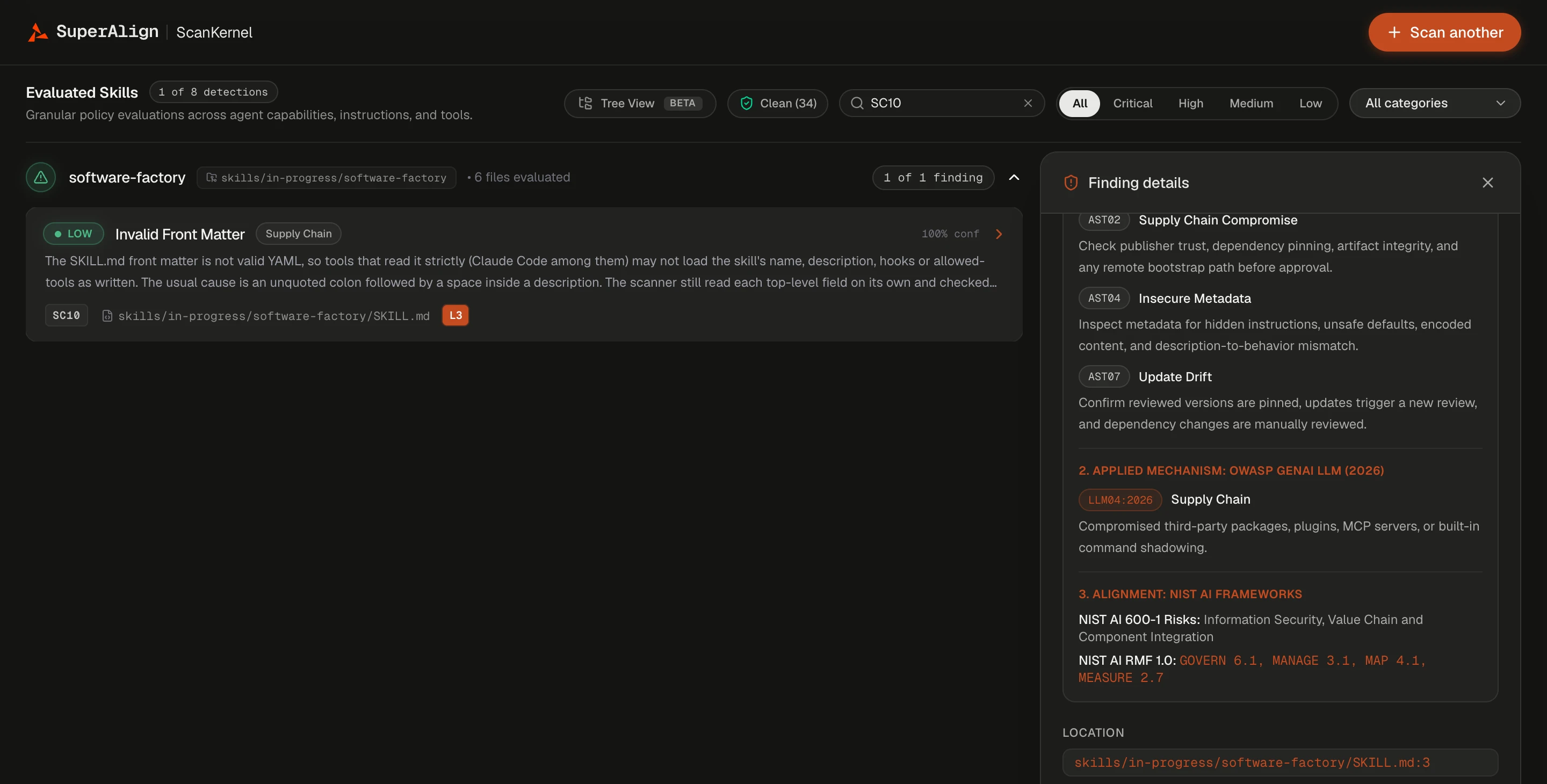
We rebuilt how SuperAlign ScanKernel judges agent skills, then tested it on real attacks. Of 94 real malicious skills from public ClawHub attack datasets, 93 now get a Do Not Install recommendation, up from none. On a separate set of 300 harmless ClawHub skills, the number that got Caution or Do Not Install fell from 16 to 9.
The attacks real skills use. Malicious skills rarely look like malware. They ask you to install a fake prerequisite, run a script from a paste site, open a password-protected archive, or paste an encoded command into your terminal. The scanner now recognizes these lures, along with reverse shells and credential theft. Encoded commands are decoded and checked without ever being run. These checks replace our built-in malware signature lists, which matched on names and strings rather than behavior.
A verdict that matches the evidence. A low score could once hide a real attack. Now a finding that shows malicious behavior sets the recommendation to Do Not Install on its own, and hidden instructions or text that conceals things from the user set it to at least Caution. The Markdown report states the reason for each verdict.
Less noise. A skill that describes an attack isn’t the same as one that carries it out. Negated, quoted, table, and test-fixture text such as “never run sudo” stays in the report, tagged Needs review, with no weight in the score or the verdict. A skill sending its own API key to its own service no longer counts as credential theft. One large public skills repository went from 275 findings to 29 at the same commit.
What a skill can do, listed separately. Ordinary behavior, like running shell commands or making plain network requests, now appears in a What this skill can do list with the exact file and line. Findings stay focused on problems, and you can compare the list with what the skill says it does.
Checks for how skills really work. Agent skills now get 93 security checks, up from 82. New checks cover pre-approved tools, skill hooks, commands that run as soon as a skill is invoked, symbolic links that leave the skill, bundled programs and archives, Windows scripts, oversized files, and invalid front matter. Hidden files are now scanned too, and naming the file skill.md instead of SKILL.md no longer gets a skill past the scanner.
Mapped to more frameworks. Each skill finding now shows how it maps to the OWASP Agentic Skills Top 10, the OWASP GenAI LLM Top 10 (2026), NIST AI 600-1, and the NIST AI RMF, as evidence for your own review rather than a certification. Passwords, tokens, and keys found in a skill are masked as *** in findings and reports.
Review Findings in the Code
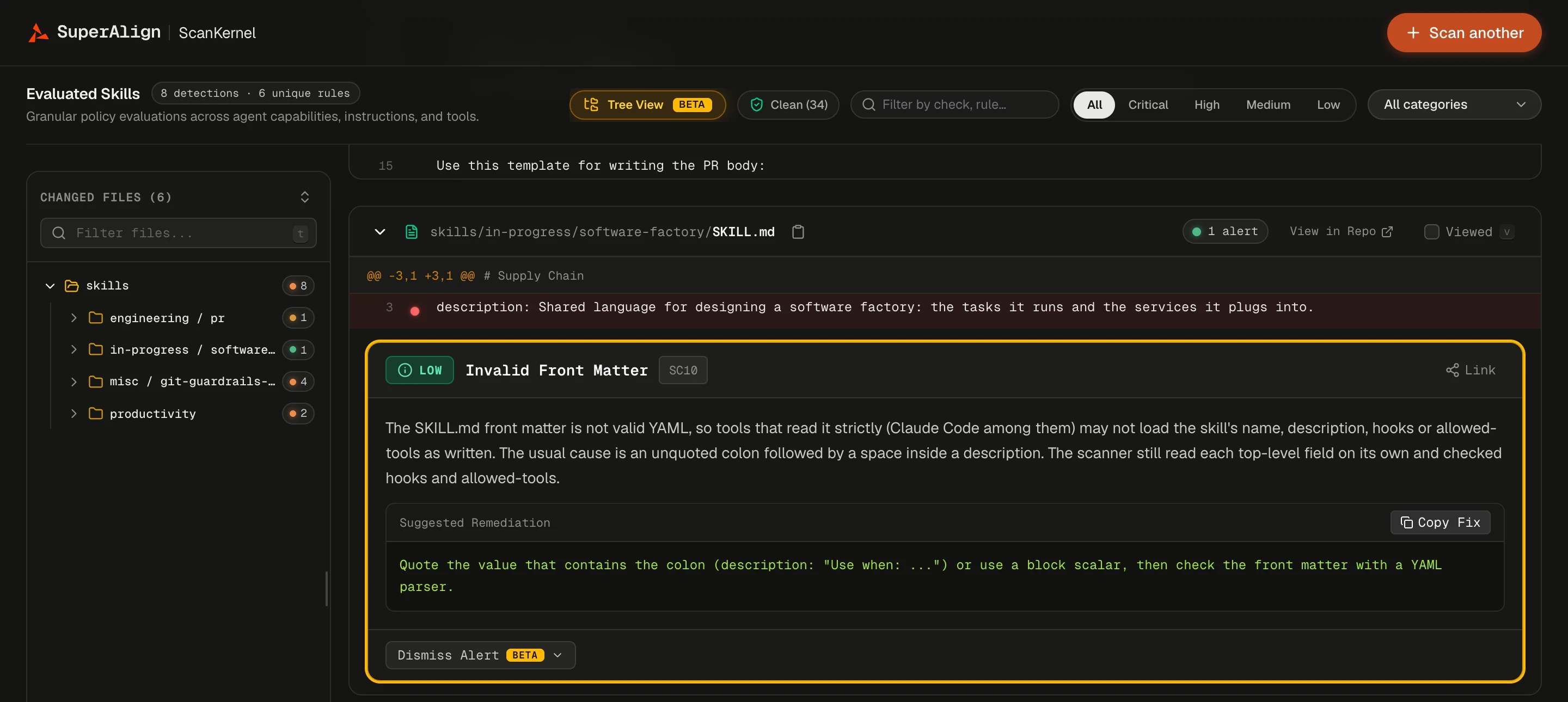
The new Tree View (Beta) lays out scan results the way you’d review a pull request: a file tree on the left, and on the right each file’s code with findings placed directly under the line that triggered them. Each finding includes its suggested remediation and a Copy Fix button, and marking a file as Viewed folds it away.
Built for the keyboard. Press n and p to move between findings, j and k to move between files, and 1 to 5 to filter by severity. Press ? to see every shortcut.
Link to the exact finding. Every finding has its own link that opens the scan right at that spot, so you can point a teammate to it directly. Files load progressively, so large scans stay responsive.
Scan the Link You Already Have
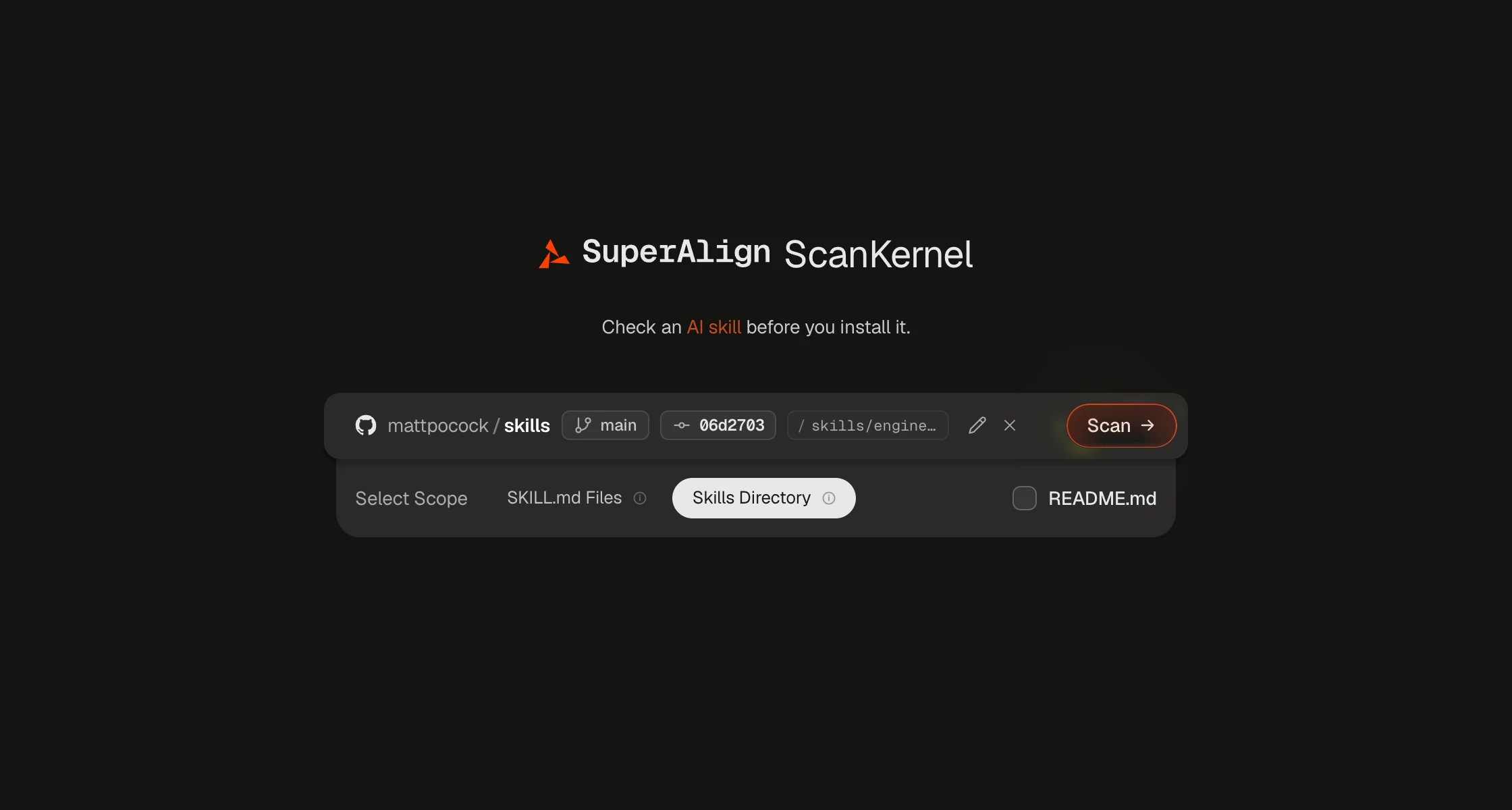
The scanner now accepts GitHub and GitLab links to a branch or folder, and GitHub links to a single file, raw links included. It scans only the part you linked to. Once you paste a link, the input box turns it into a compact preview of the repository, branch, commit, and folder, so you can confirm the target before you start.
A Scan button, too. Pressing Enter still starts a scan. For anyone who prefers to click, the form now has an animated Scan button as well.
Faster, Fresher Results
Faster first scans. Dependency checks now go out as a single batch, and files are filtered more efficiently before deeper analysis. In our benchmark, the engine scanned a 428-file repository in about 7 seconds, down from 18, with identical findings.
Instant repeat scans. Scanning a commit that has already been checked with the same settings returns the saved result right away, and simultaneous requests for the same scan share a single run.
Results that keep up with the scanner. When the scanner itself is updated, saved results from the older version are no longer reused. Your next scan runs fresh and gets the latest checks.